
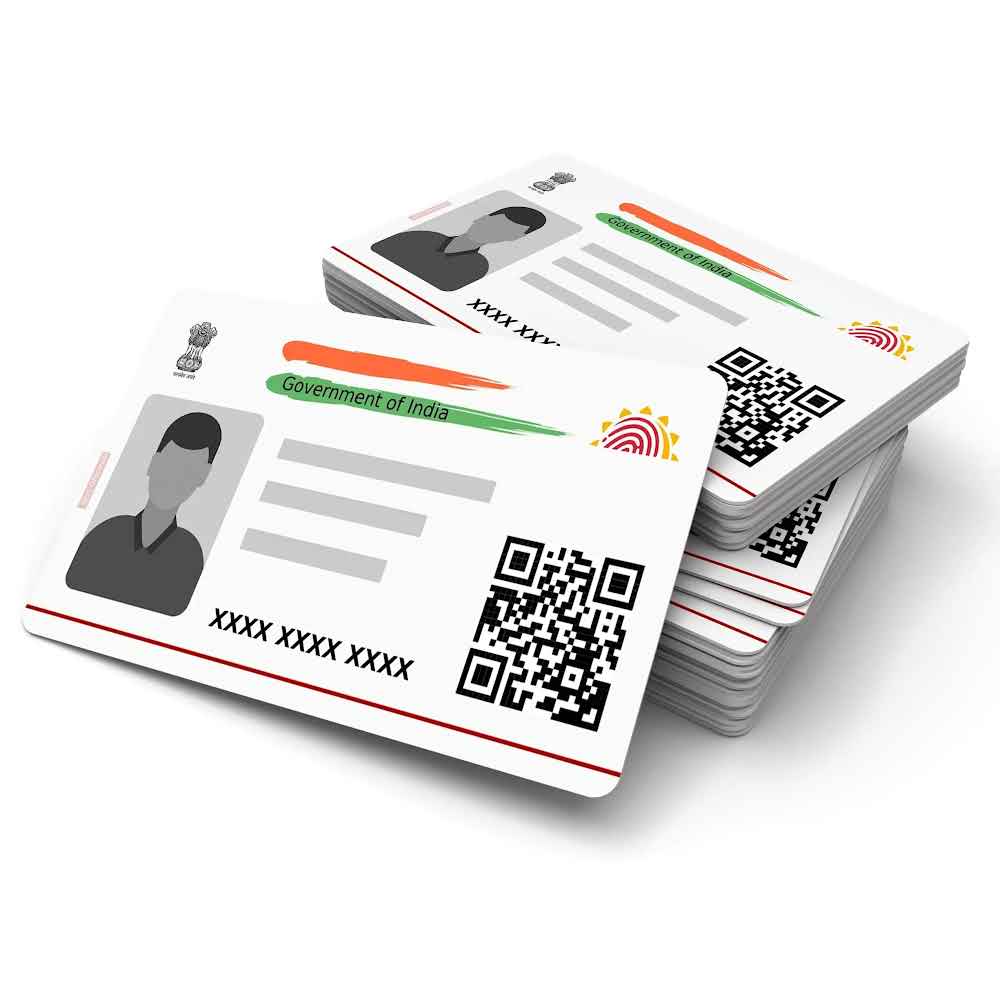
The Aadhaar card is one of the most important identity documents for Indian citizens. It is widely used across government, financial, health, and other sectors. Given its significance, verifying the information on your Aadhaar card, including your signature, becomes paramount. A mismatch or error in the signature could lead to delays and complications in accessing services linked to it.
In this article, we’ll explore how to verify the signature in an Aadhaar card without error and touch upon related topics, such as checking your CIBIL score without a PAN card.
Why Is Signature Verification Important for Aadhaar Card?
The signature in an Aadhaar card is a critical aspect of identity proof required during many official procedures. Errors in the registered signature or mismatches may cause problems in verifying your identity. Here’s why signature verification is necessary:
- Avoiding Application Rejections: A valid signature ensures hassle-free processing of applications like banking, loans, or other governmental services.
- Smooth KYC Process: Many financial institutions incorporate signature checks during “Know Your Customer” (KYC) verification.
- Preventing Fraud or Identity Theft: Authenticated signatures protect against unauthorized access to your Aadhaar-linked services.
Steps on How to Verify Signature in Aadhaar Card
If you suspect errors in your Aadhaar signature or want to verify it as part of a routine check-up, follow these simple steps to ensure it’s accurate. If you’re wondering how to verify signature in Aadhar card, this step-by-step guide can help.
Step 1: Log in to the UIDAI Portal
The Unique Identification Authority of India (UIDAI) manages Aadhaar services online. Begin by visiting the official UIDAI portal.
- Open a browser and go to https://uidai.gov.in.
- Locate the “My Aadhaar” menu and log in using your unique Aadhaar number and OTP sent to your registered mobile number.
Step 2: Access Your Aadhaar Details
Once logged in, navigate to the section for downloading your Aadhaar card in either PDF or digital format.
- Click on “Download Aadhaar” or “Get Aadhaar Number/VID.”
- Save the soft copy of your Aadhaar card; it will usually be in a password-protected PDF format.
Step 3: Verify Digital Signature
Your Aadhaar card contains an encrypted digital signature, validated by the UIDAI. It is crucial to ensure no mismatch in this key identity feature.
- Open the PDF using software such as Adobe Acrobat Reader.
- Locate the signature section at the bottom of the document.
- Right-click on the digital signature and choose “Validate Signature.”
- Follow the prompts to complete the verification process.
Step 4: Check for Mismatch
If the digital signature details conflict with your records or display errors, consider correcting your Aadhaar information.
Steps to Fix Signature Errors in Aadhaar Card
In case of errors in signature, correcting the information in your Aadhaar is simple through the UIDAI portal or an enrollment/update center.
Online Method:
Follow these steps for making changes online:
- Go to the UIDAI Self-Service Update Portal (SSUP) available at https://ssup.uidai.gov.in.
- Log in using your Aadhaar number and OTP.
- Choose “Update Aadhaar” and navigate to the section requiring updates.
- Upload necessary documents, such as proof of identity or signature validity.
- Pay an update fee and wait for the information to be corrected.
Offline Method:
If you prefer offline assistance:
- Visit a nearby Aadhaar Enrollment Center.
- Fill out the Aadhaar update form, specifying “Signature Correction.”
- Submit supporting documents that validate your signature.
- Pay the nominal fee and obtain a receipt for your request.
Typically, updates are processed within 7–10 working days.
Tips to Avoid Errors When Verifying Signature in Aadhaar Card
Mismatches in your Aadhaar card signature can be frustrating but are preventable. Here are a few tips to get it right the first time:
- Use Consistent Signatures: Always use the same signature across official documents to avoid discrepancies.
- Keep Your Signature Simple: Overly complicated or stylized signatures may lead to variations during digitization and recognition.
- Check Your Documents Carefully: Verify all uploaded documents for accuracy before final submission to UIDAI.
- Ensure Proper Digital Tools: Use reliable software like Adobe Acrobat Reader to check digital signatures without technical hiccups.
How to Address Common Issues Faced During Signature Verification
Despite the easy steps, some users might face challenges during signature validation. Here’s how to tackle common issues:
- Technical Errors in Verification: Ensure you are using updated tools and try re-downloading the Aadhaar PDF from the UIDAI portal.
- Mobile Number Not Linked to Aadhaar: Linking your mobile number is crucial for OTP-based authentication. Update it via the UIDAI website or offline centers.
- Mismatch in Documents: If your signature doesn’t align with supporting documents, submit fresh proofs to avoid rejection in request processing.
CIBIL Score Check Without PAN Card
While speaking of Aadhaar-linked services, another important aspect is checking your CIBIL score—a key determinant of creditworthiness for loans, credit cards, and bank applications. The PAN card is commonly used for this purpose. But what if you don’t have a PAN card? Here’s how to do a CIBIL score check without PAN card.
Using Aadhaar for CIBIL Score Check
You can use Aadhaar as an alternative to a PAN card for checking your credit score. Many financial institutions and websites allow Aadhaar-based verification for this purpose.
Steps for Aadhaar-Based CIBIL Check:
- Visit authorized financial websites offering credit score services.
- Choose the option for Aadhaar-based authentication.
- Enter your Aadhaar number and verify via OTP.
- Get your free or paid credit report.
Other Methods:
If Aadhaar-based authentication isn’t available, consider the following options:
- Use Personal Details: Provide full name, date of birth, and registered mobile number.
- Submit Voter ID or Driving License: Some platforms accept alternative ID proofs like voter ID or DL.
Conclusion
The verification of your signature in an Aadhaar card is a necessary step to ensure the credibility and integrity of your identity proof. Errors, if left uncorrected, can cause unnecessary complications. By following the clear steps outlined in this article, you can verify and update your signature in your Aadhaar card effortlessly.
Additionally, for those looking to check their CIBIL score without a PAN card, Aadhaar offers a viable alternative that is secure and convenient. By being proactive in maintaining your Aadhaar and CIBIL score, you pave the way for smoother transactions and services in both financial and personal spheres.
Stay vigilant, and keep your Aadhaar updated to avoid future discrepancies—whether it’s signature verification, document updates, or credit score checks. All these efforts ensure your identity remains safeguarded and functional in all aspects of life.
About the Author